Problem
The system ran on memory and goodwill
A typical production line has 15-20 machines running continuously. If even one breaks down mid-shift, output on the entire line stops. Every minute of downtime has a direct cost in delayed orders and overtime.
Before this system existed, there was no structured way to handle that moment. A supervisor would notice a breakdown, call the mechanic, hope they showed up. Parts were requested over WhatsApp. No one knew if a machine had been fixed or just abandoned. At the end of the day, there was no record of any of it.
No escalation path
Supervisors reported issues verbally. Mechanics had no queue, no priority signal, no deadline.
No parts visibility
Spare parts were requested through calls and messages. Stock was unknown until someone walked to the storeroom.
No maintenance planning
Machines had no service schedules. Breakdowns were the only trigger for action; prevention wasn't possible.
No history
Every breakdown was a fresh crisis. No data from past failures, no pattern, no way to plan.
Findings
Three things changed how I designed this
I spent time with supervisors, mechanics, and inventory managers (the people who would actually live inside this system), and the patterns that came out directly shaped design decisions.
01
Typing is the enemy
Everyone on the floor is moving. Supervisors are walking lines, mechanics are under machines. Budget Android devices with cracked screens are the norm. Any flow requiring more than a few taps would be abandoned within a week.
Scanner-first reporting, status cards over forms, zero free-text required to raise a ticket.
02
Roles have completely different contexts
A mechanic and an inventory manager need opposite things. The mechanic needs to act in seconds, on a phone, in a loud environment. The inventory manager needs accuracy, context, and an approval trail, all from a desk.
Separate mobile app for floor teams, desktop dashboard for admin. Not one responsive product trying to serve both.
03
The real problem wasn't the breakdown - it was the silence after it
The most damaging part wasn't that machines broke. It was that nobody knew the status for hours. Was anyone looking at it? Was a part ordered? That uncertainty generated the WhatsApp threads and verbal follow-ups.
Ticket states with owners and timestamps: Reported -> In Repair -> Pending Approval -> Resolved.
The Design
Four pillars, one principle: speed over polish
UX and task efficiency were the priority. Visual design was intentionally kept simple: strong colour-coded states, large touch targets, minimal screen depth. The goal was moving from "need to use" to "easy to use" even under pressure.
01
Machine Breakdown Reporting
The most critical moment is the first 60 seconds after a breakdown is spotted. Every decision in this flow was aimed at getting a ticket raised, assigned, and acknowledged in under a minute, without requiring the supervisor to stop moving.
The flow is three steps: scan the machine, select the issue type, submit. The mechanic sees it instantly in their queue, with the machine ID, location, and timestamp already filled in.
Raise a Ticket
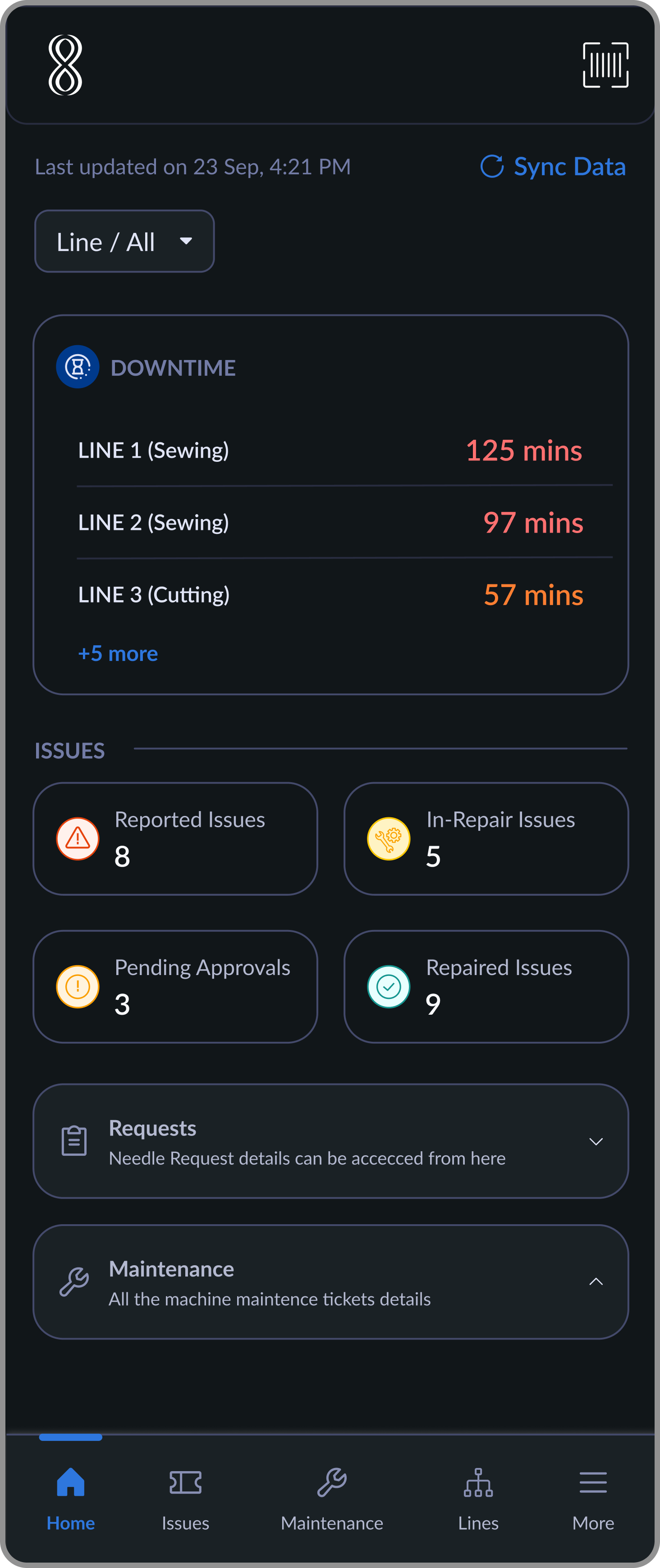
Home → Scan Entry Point
Supervisor initiates issue reporting directly from the home screen using the quick-access scanner.
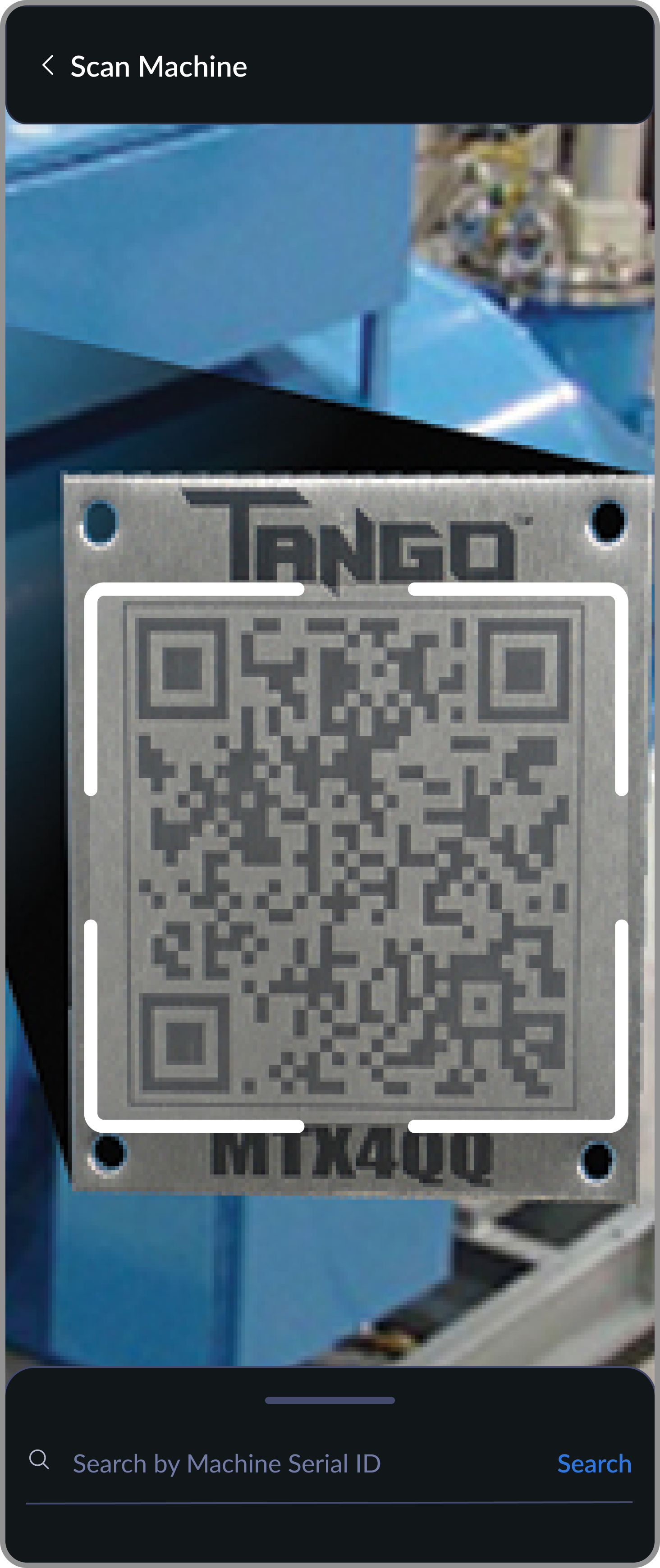
Scan or Search Machine
Scanner helps instantly identify the machine, with search as a fallback when scanning isn't possible
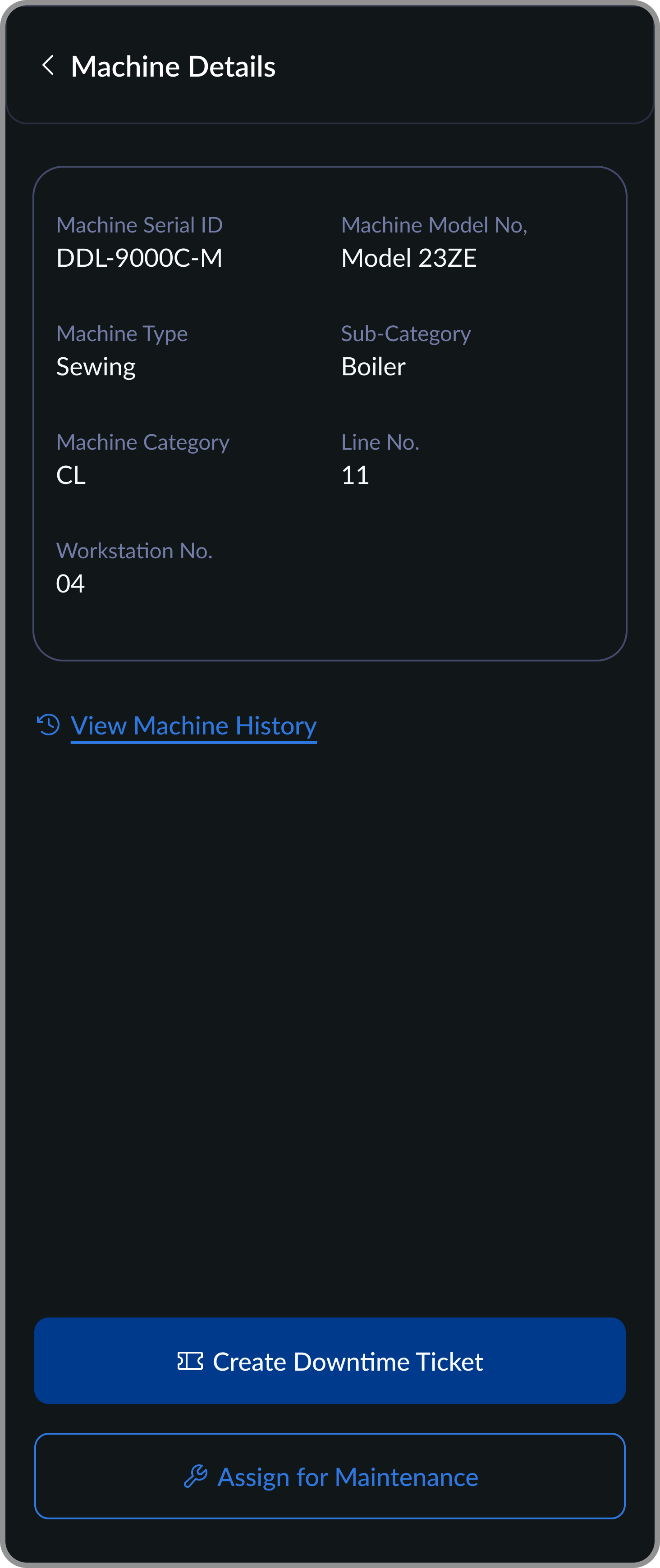
Confirm Machine
Machine details surface before any action so the supervisor can verify they've scanned the right machine, then decide next steps.
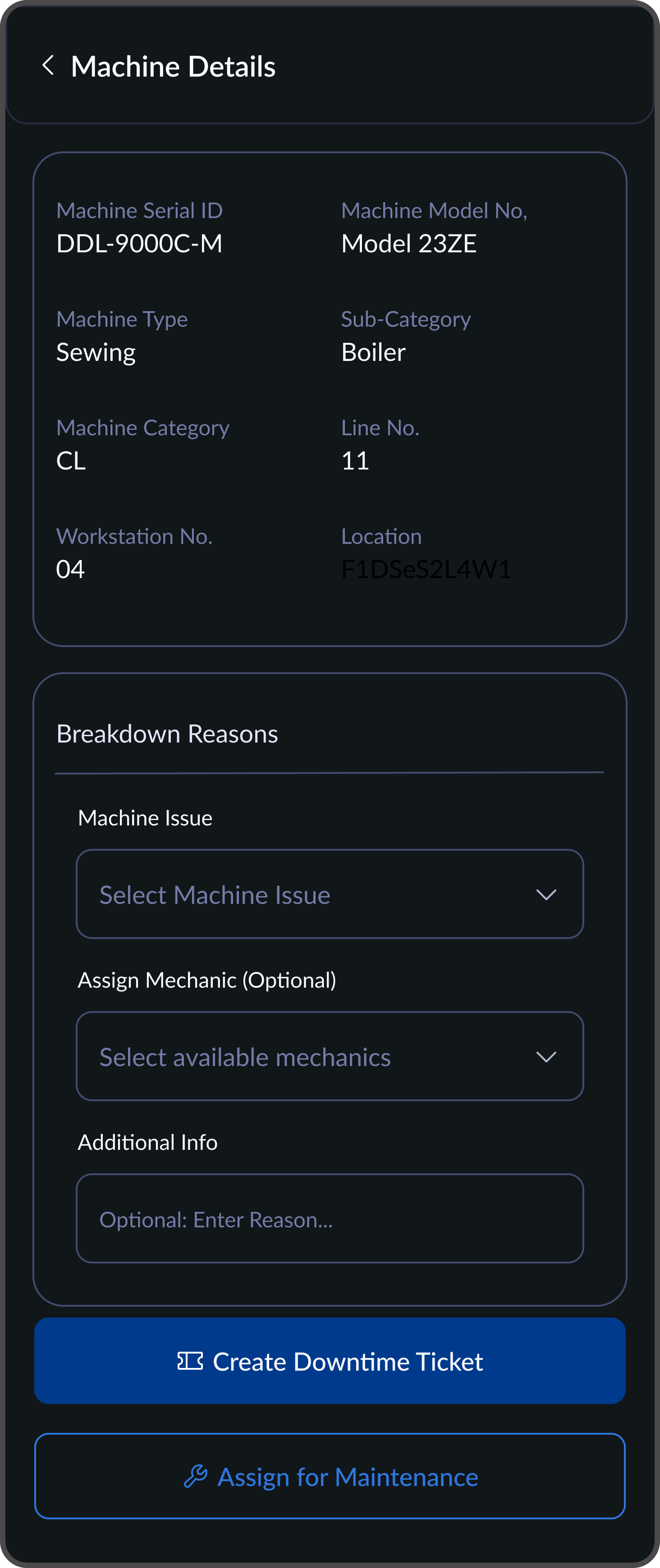
Select Issue Type
Breakdown reasons are predefined, no typing required. Mechanic assignment is optional so the ticket can be raised instantly.
Mechanic attending to the raised ticket
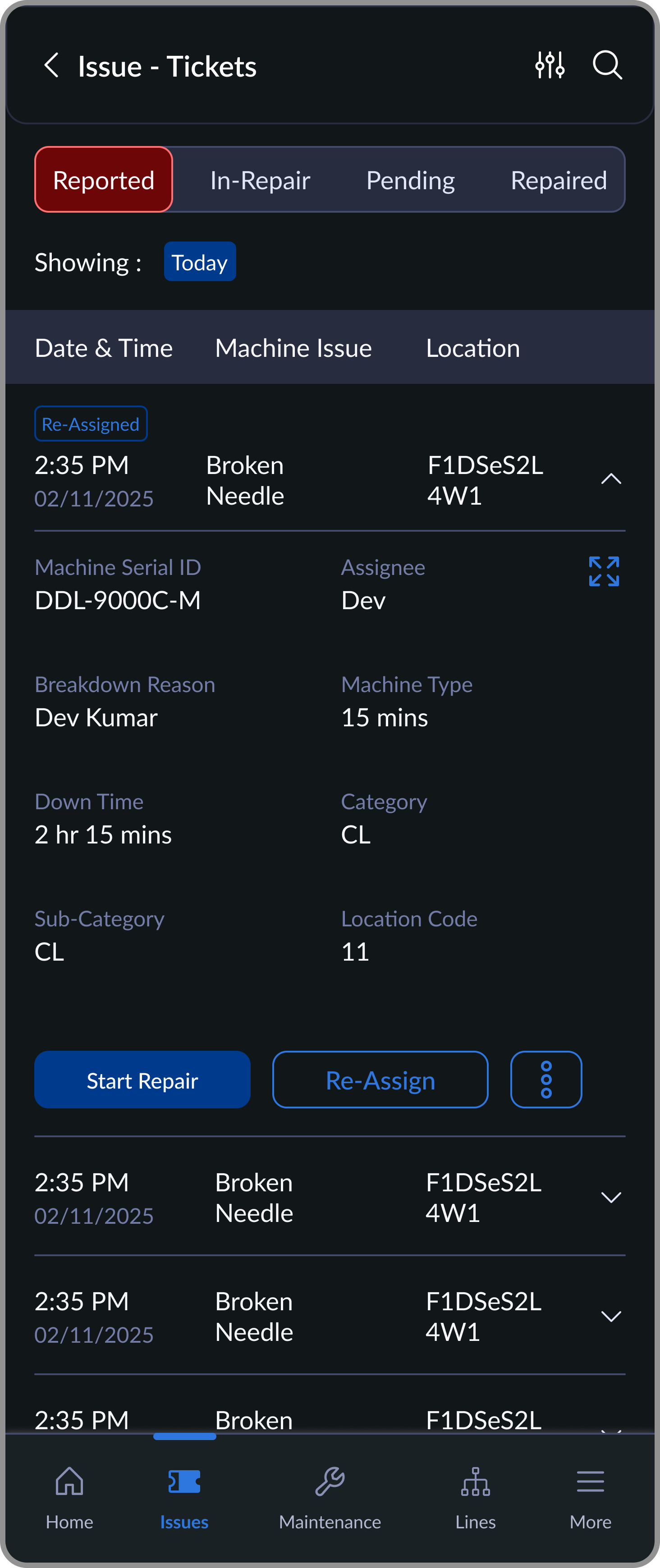
Reported
Tickets raised by supervisors, ready to be picked up by mechanics
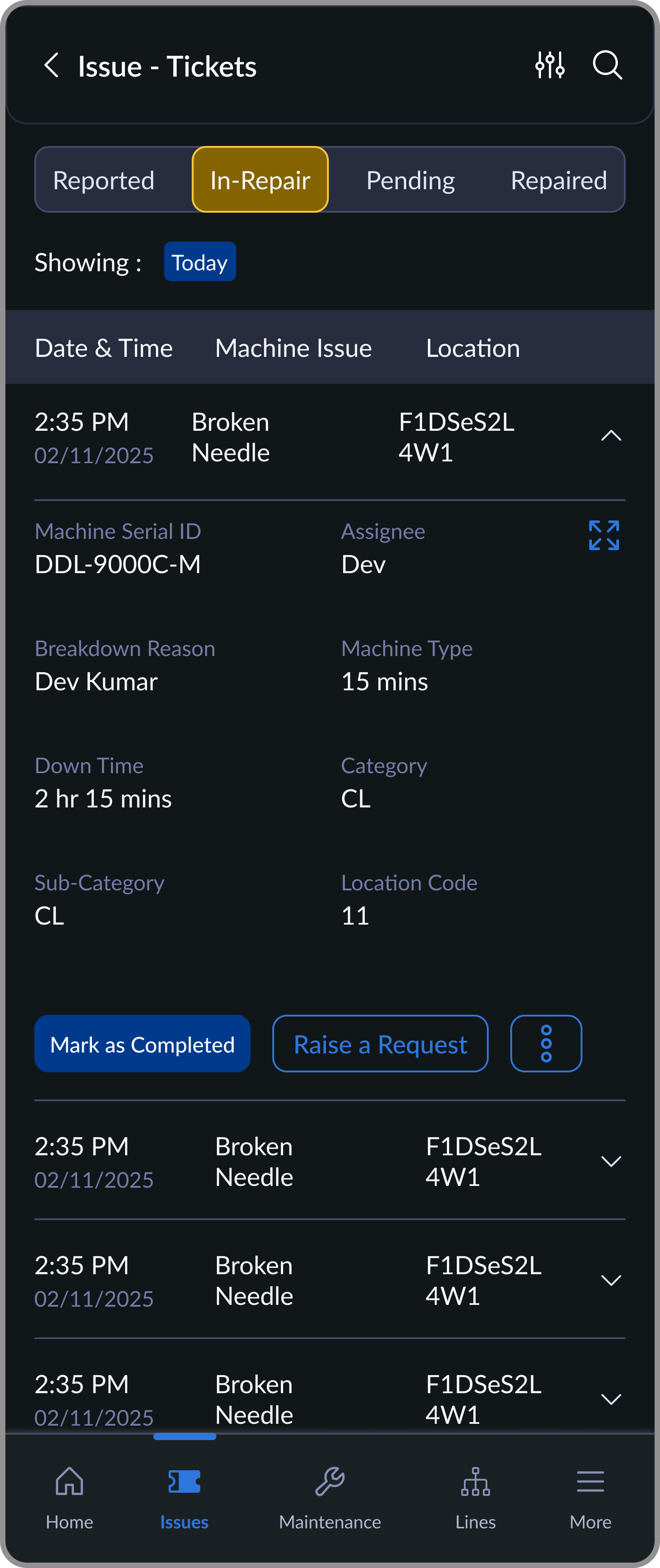
In-Repair
Tickets actively being repaired, with spare/needle requests raised if needed
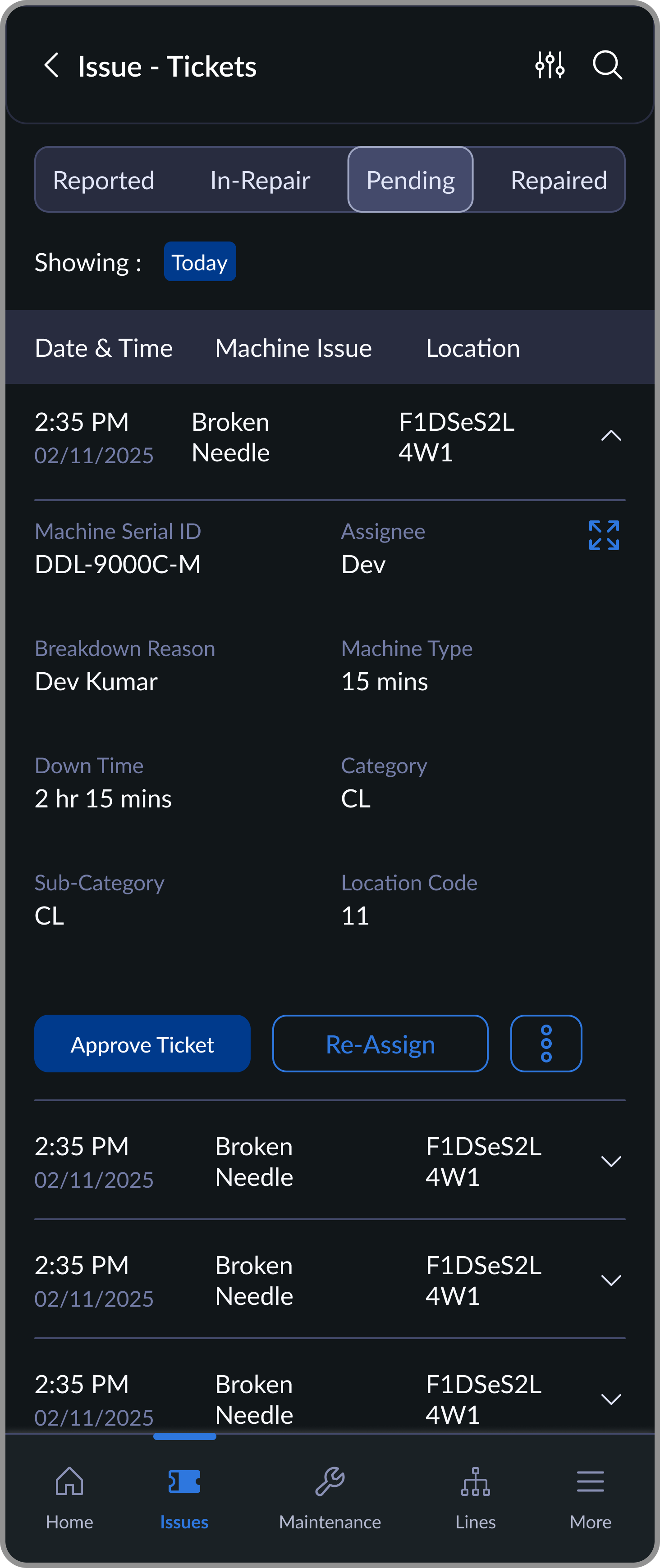
Pending
Completed repairs awaiting supervisor approval
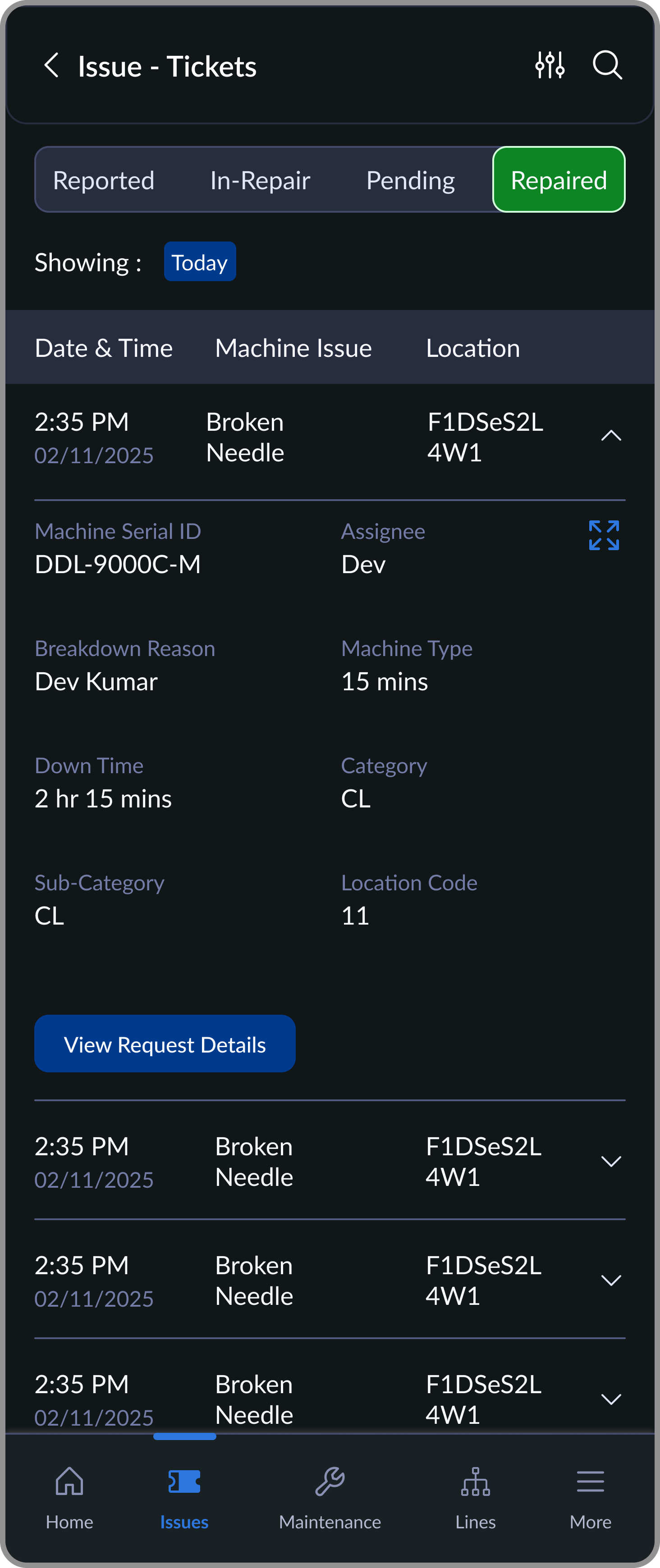
Repaired
Closed tickets stored for history, audits, or re-issue
Inventory Decisions, Simplified (Desktop)
Approval Controls Designed for Speed & Accuracy
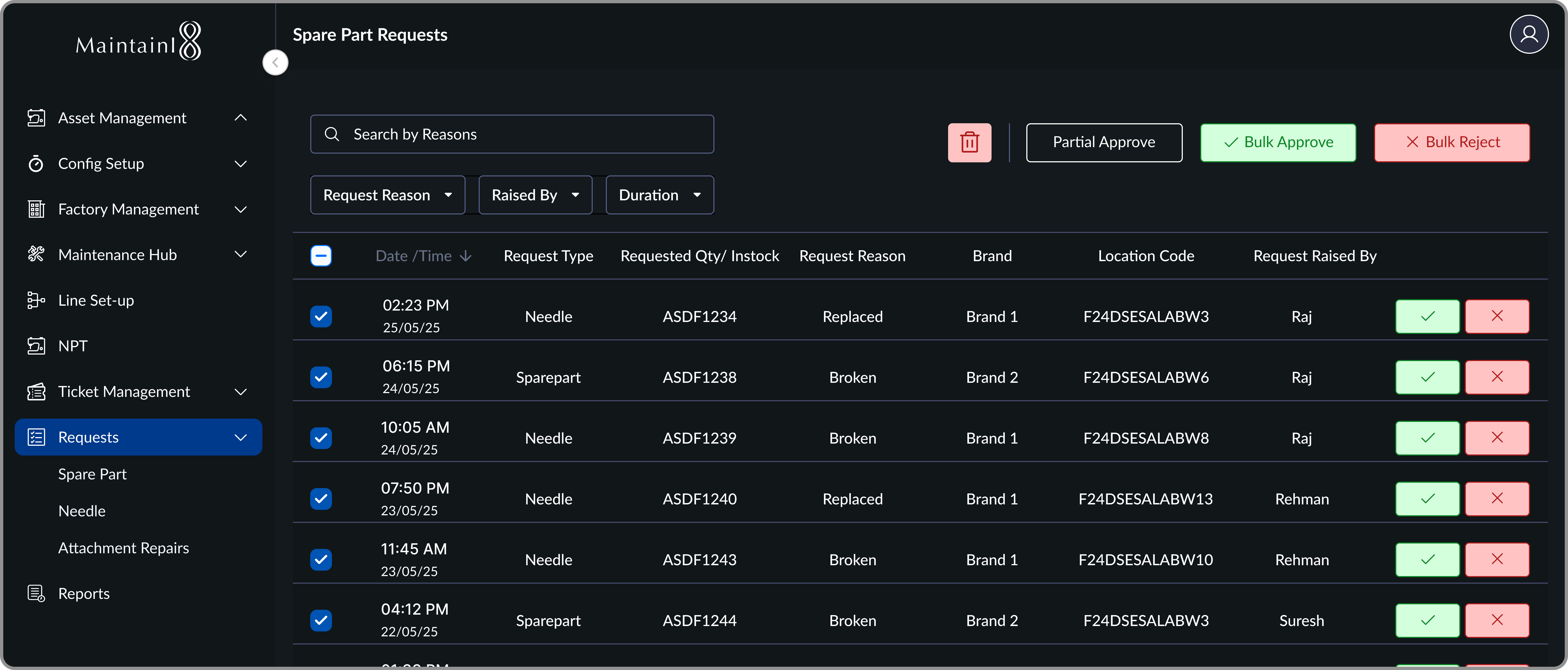
Managers were opening a separate spreadsheet to check stock before approving each request. Surfacing the requested vs in-stock counter inline removed that entirely. Approvals went from a multi-step process to a single confident tap.
I considered a free-text description field when raising a ticket. We cut it. Typing under time pressure, on a shared device, in a loud environment, produces garbage data. Selecting a predefined issue type was faster, more consistent, and more useful for analytics downstream.
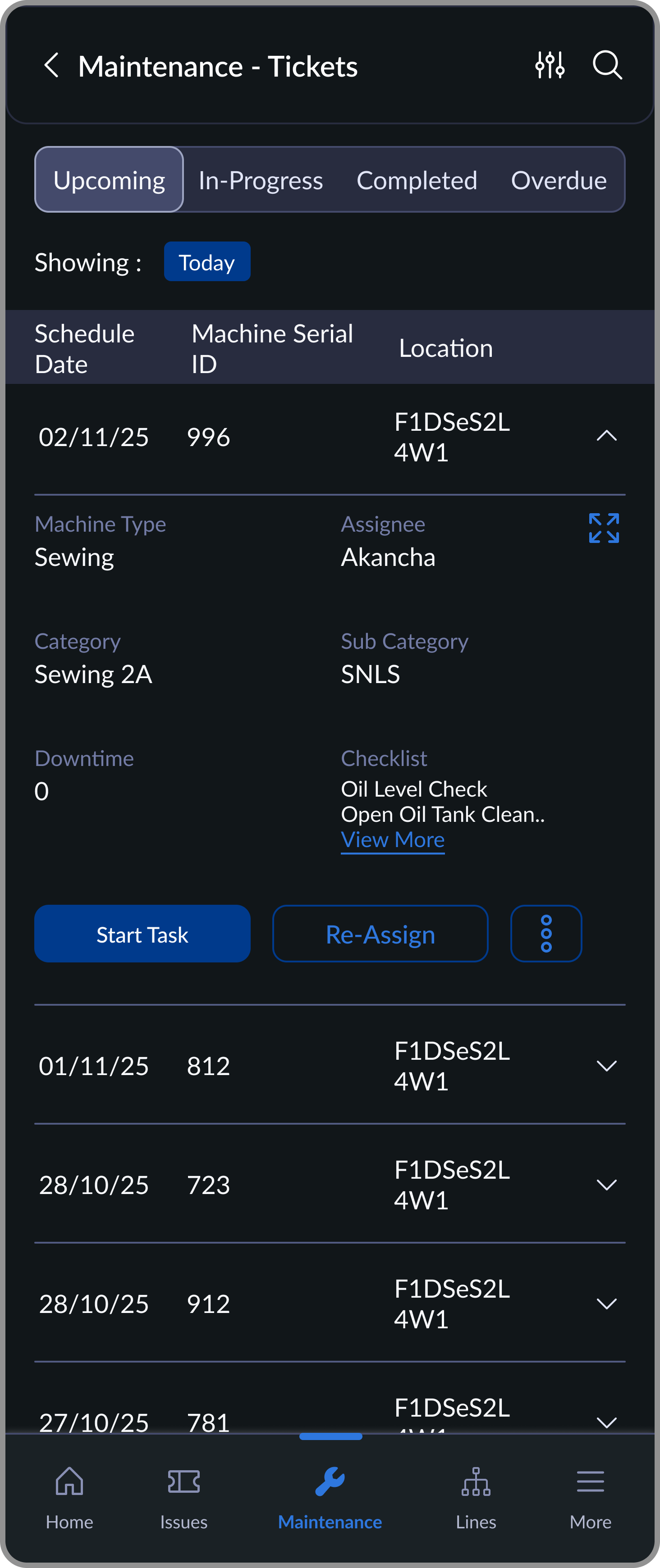
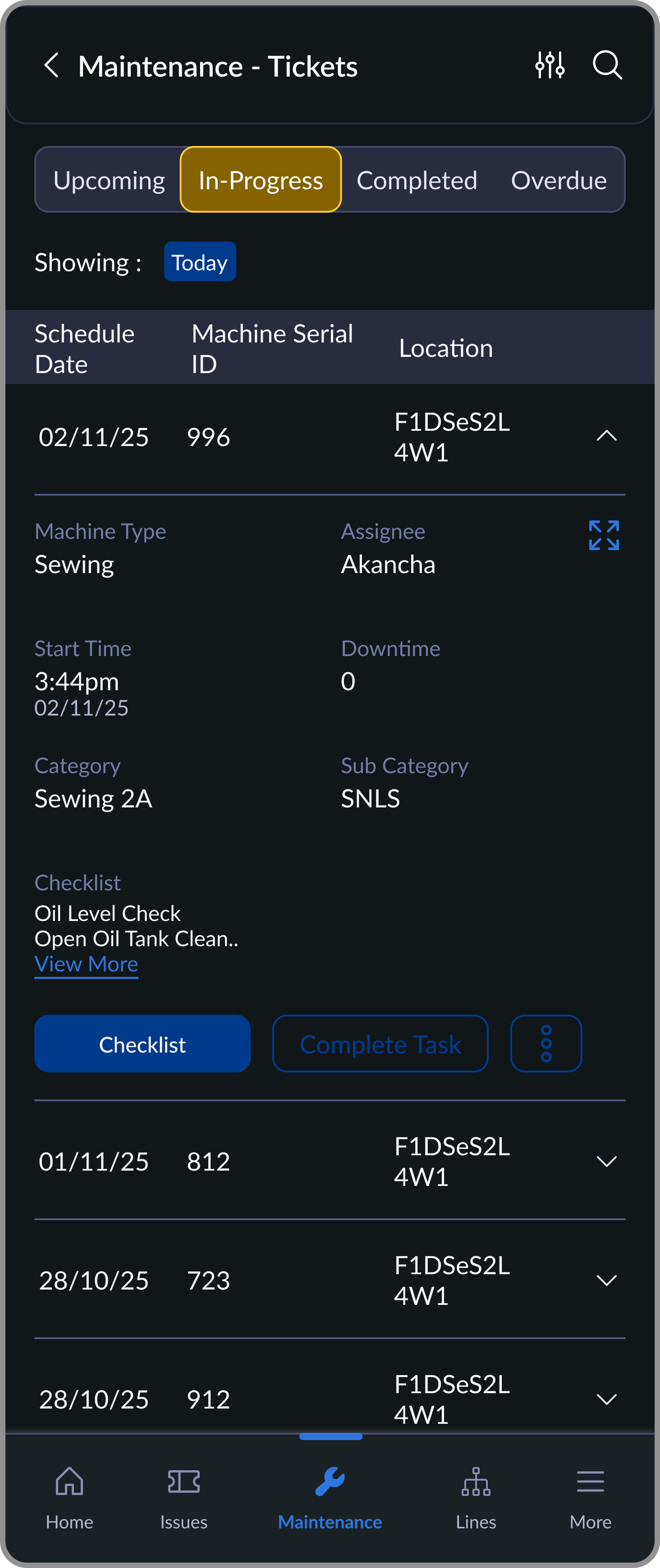
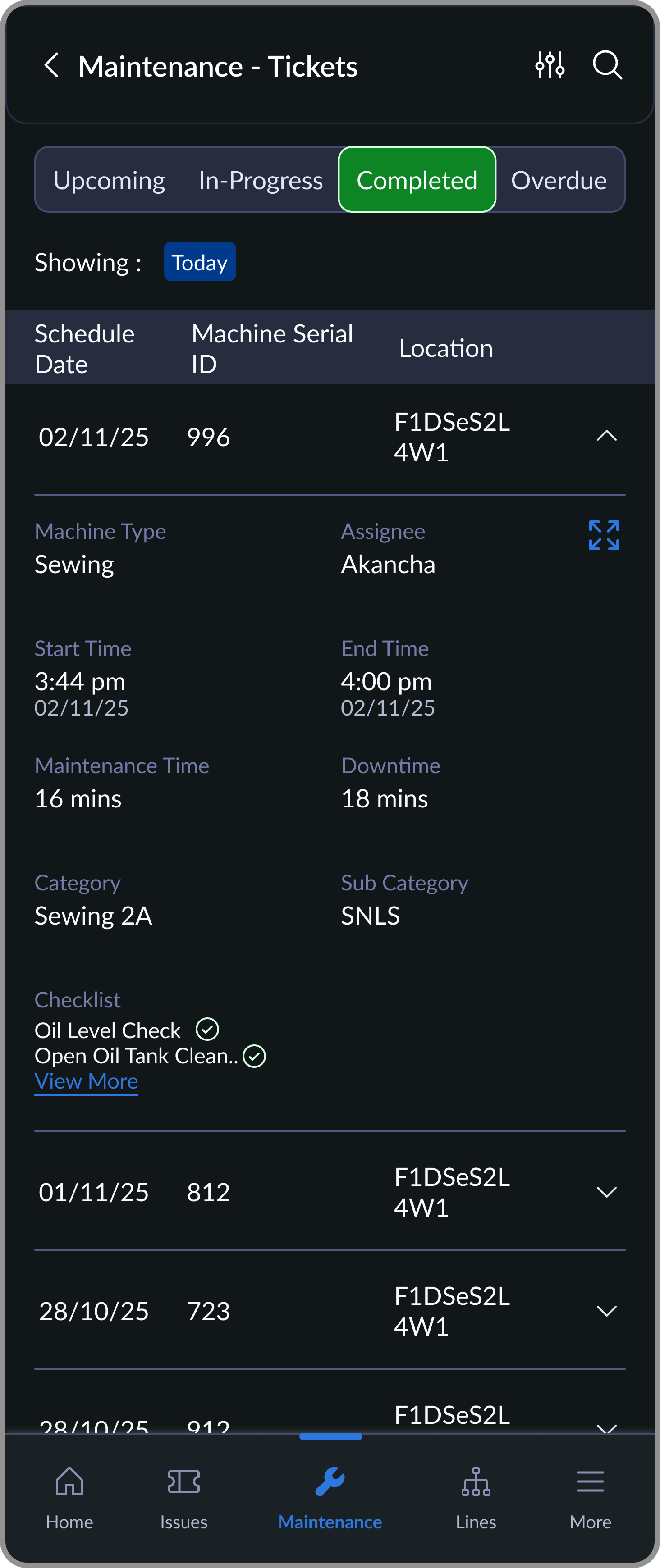
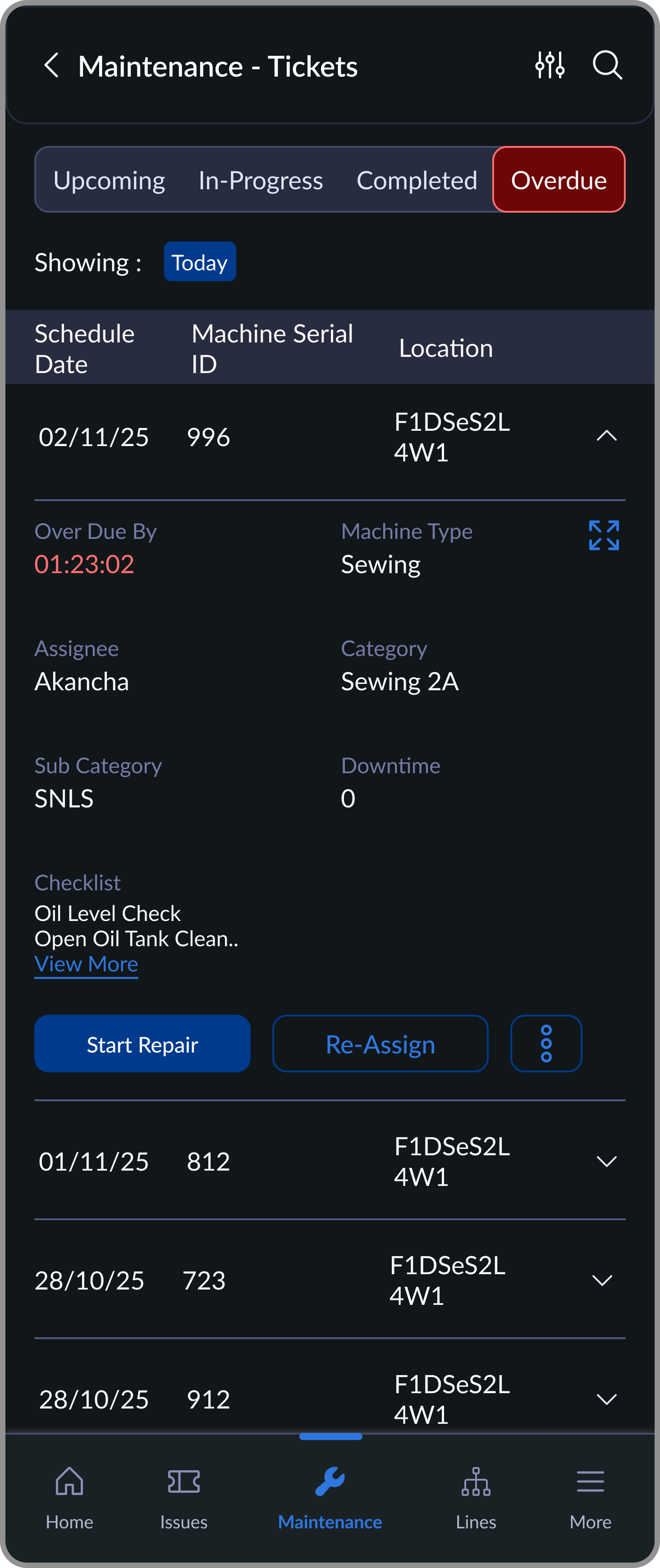
Breakdowns were the loudest problem, but missed routine maintenance was often the underlying cause. Lubrication cycles, needle replacements, belt checks. All tracked on paper charts nobody reliably updated.
Each machine is assigned a maintenance cycle. These auto-generate scheduled tickets on the mechanic's device. Mechanics complete a binary checklist: done or not done. Any issue found can instantly convert into a breakdown ticket.
Upcoming
Scheduled maintenance tasks, ordered by due time
In-Progress
Active tasks with checklist based execution
Completed
Maintenance history with completed activity logs
Overdue
Delayed tasks highlighted for urgent action
The first version had free-form note fields for mechanics. Usage was near-zero. Moving to a binary checklist brought completion rates from inconsistent to near-100%. When a mechanic did flag an issue, it became a proper breakdown ticket with full traceability.
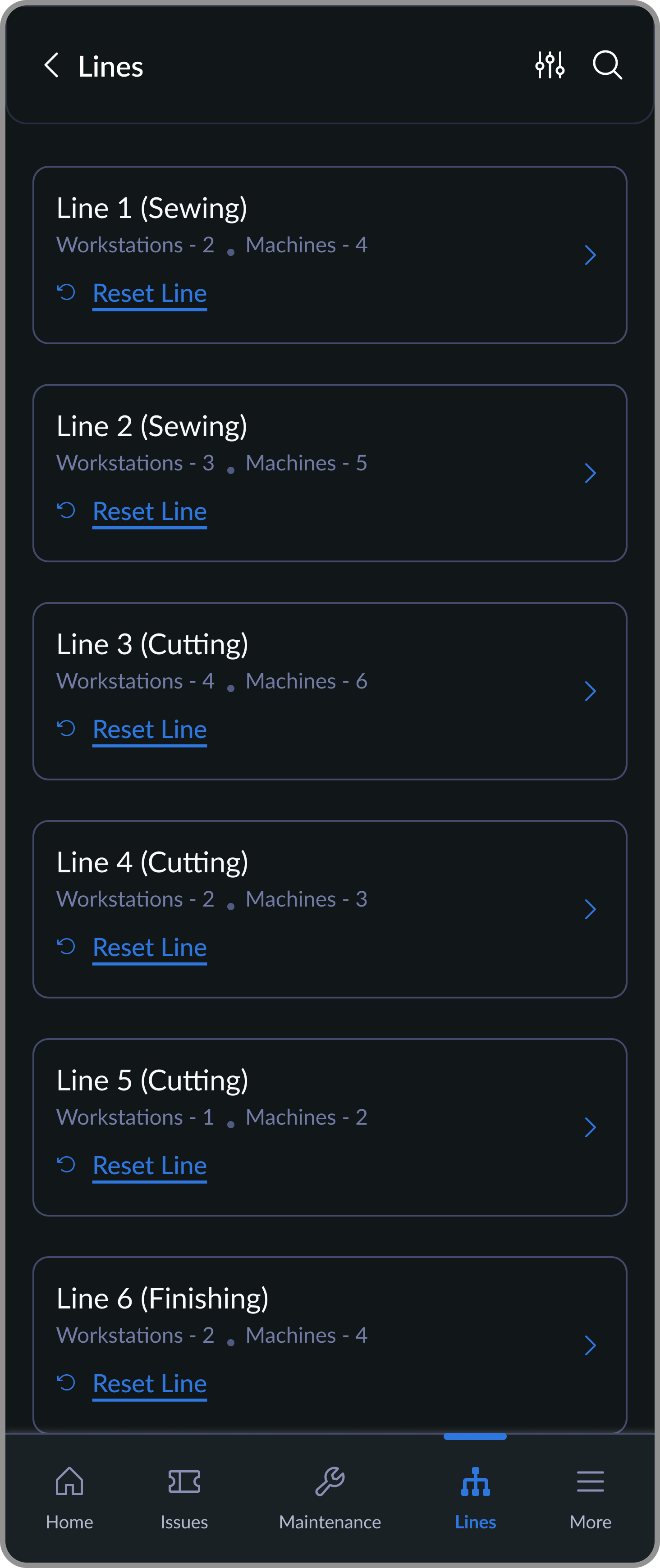
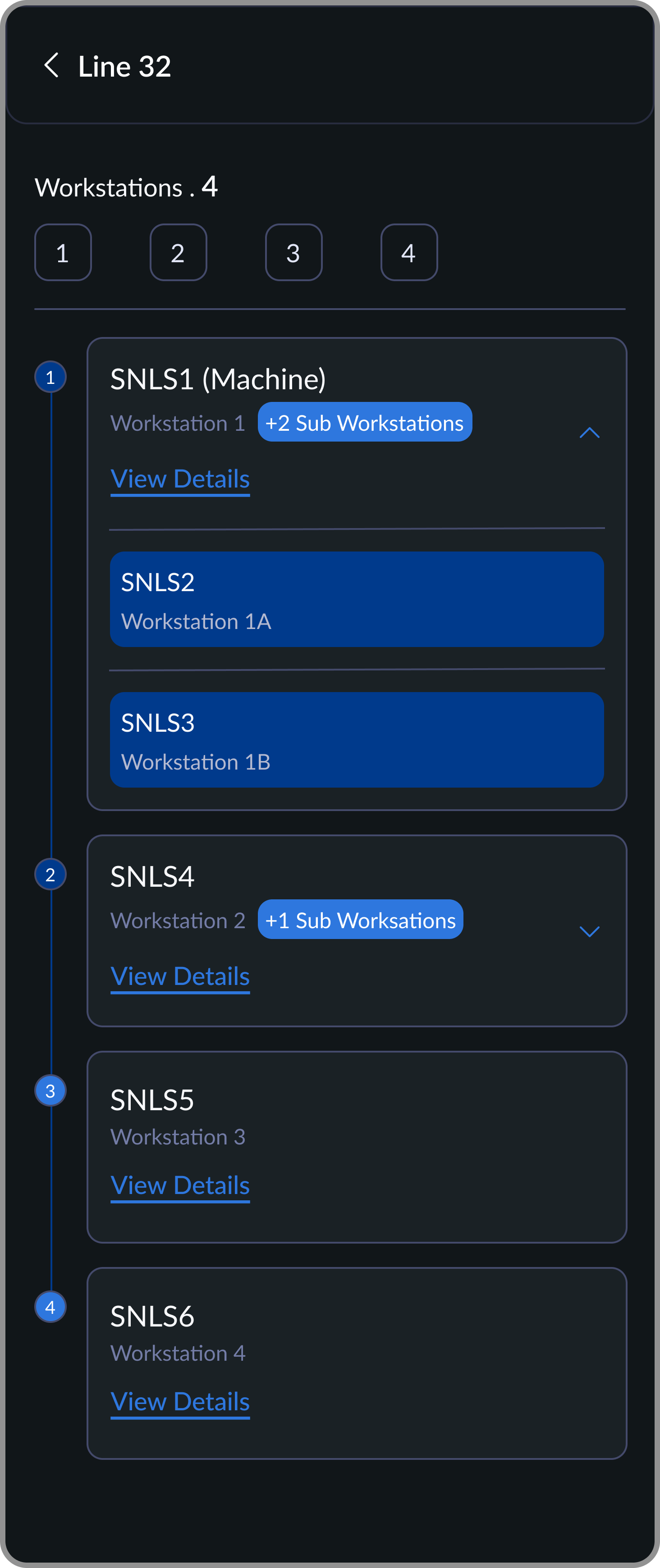
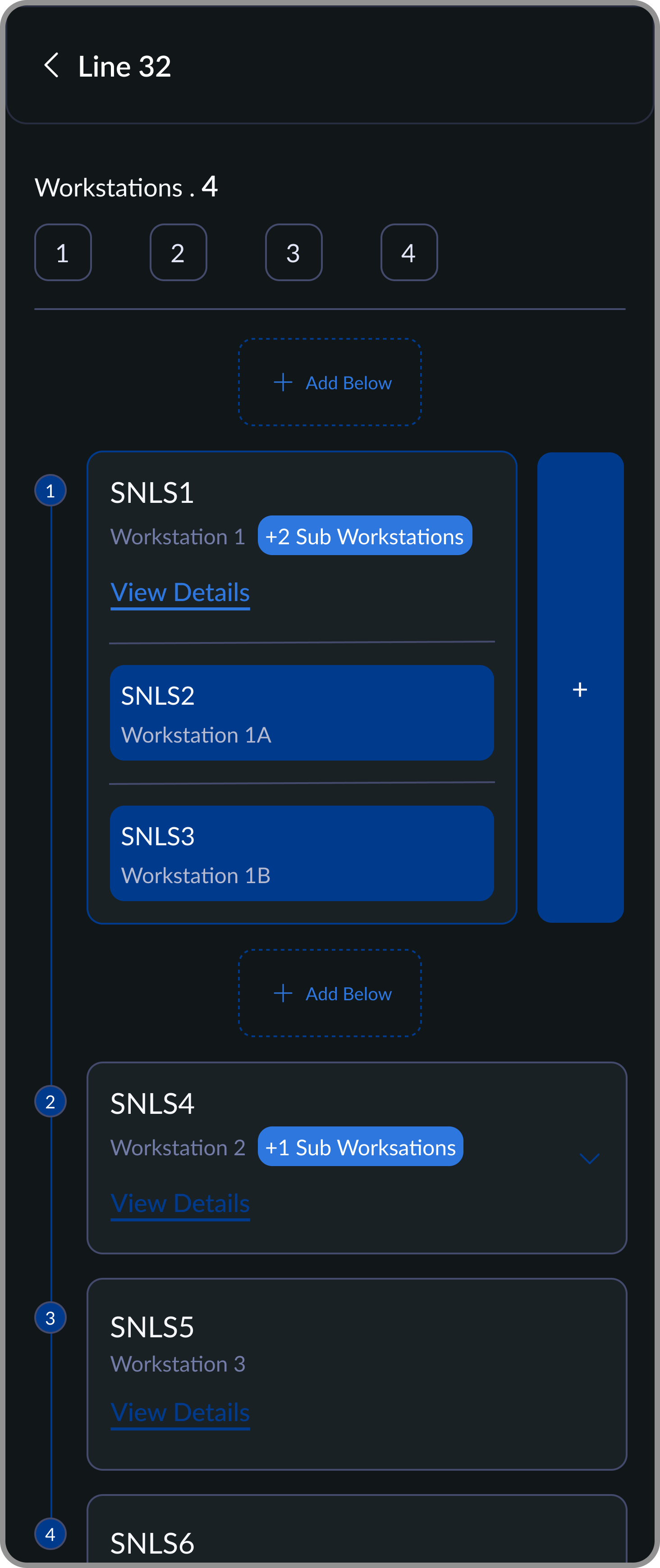
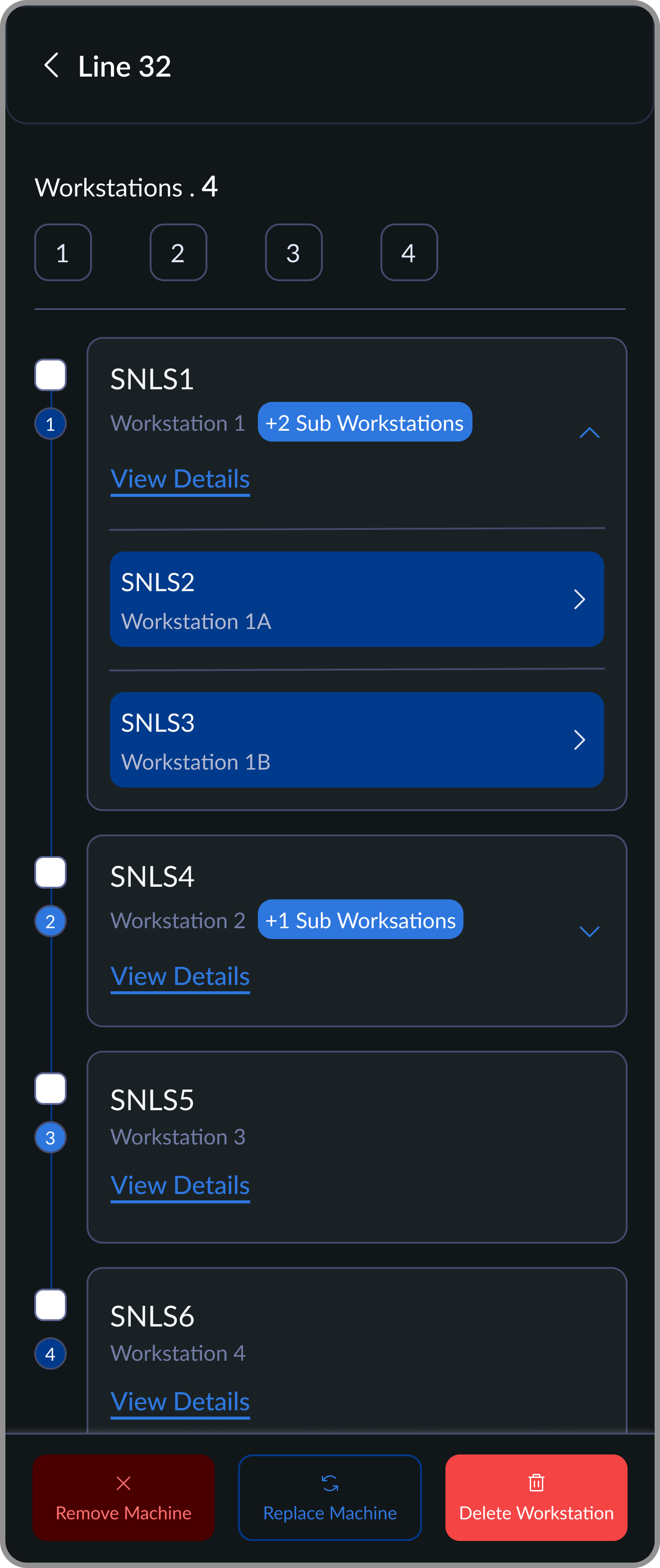
Production lines are reconfigured constantly: machines move, orders change, setups shift. A machine that exists on paper but isn't assigned to a line is invisible. You can't plan maintenance for it, track its downtime, or audit when something goes wrong.
Supervisors create production lines, assign machines to workstations, and manage changes as orders shift. The QR scan-to-assign flow came directly from floor observation; typing serial IDs was a known failure point in earlier tools.
Line Listing
Select a production line to configure workstations. Reset an entire line when order requirements change.
Workstation Overview
Machines are arranged in production sequence. Supports sub-workstations for flexible line setups.
Workstation Setup
Add workstations above or below to maintain order. Add sub-workstations and assign machines within the flow.
Workstation Actions
Select workstations to manage changes. Replace machines, clear machines, or delete workstations.
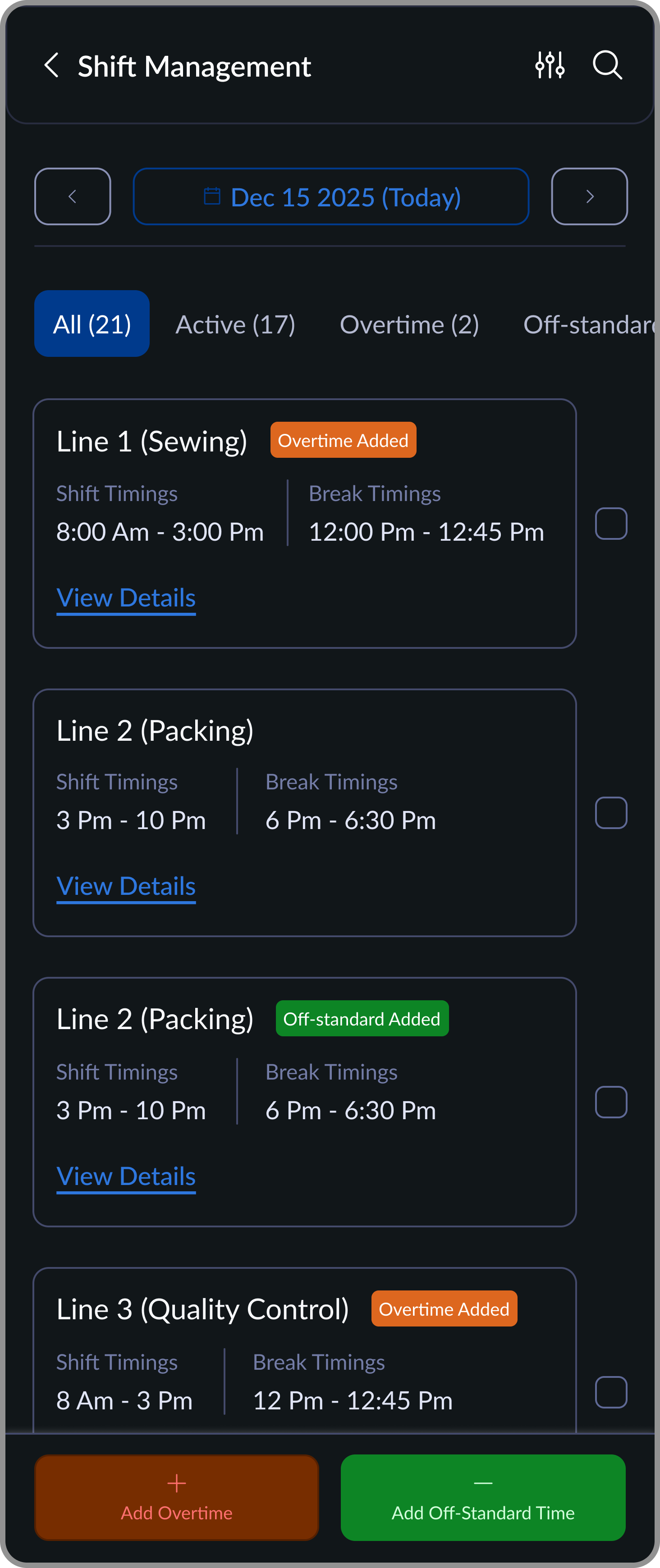
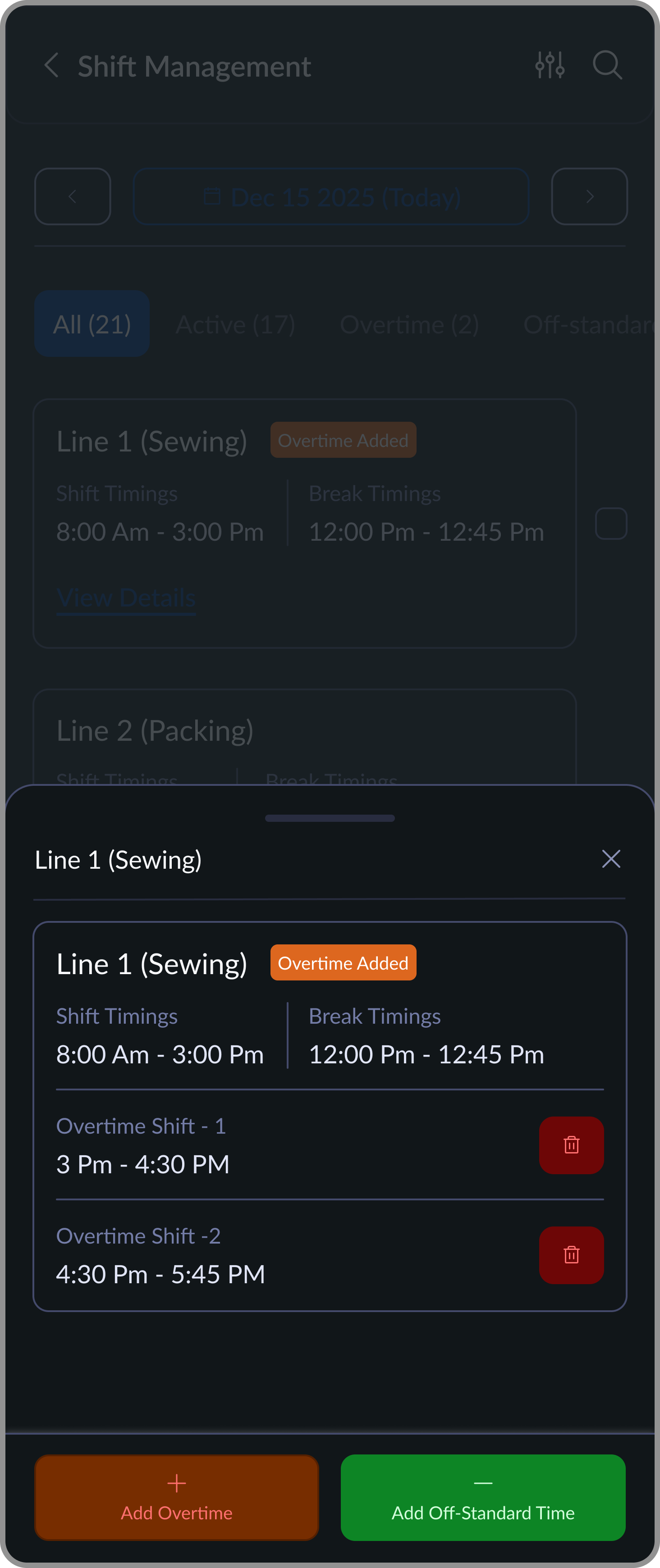
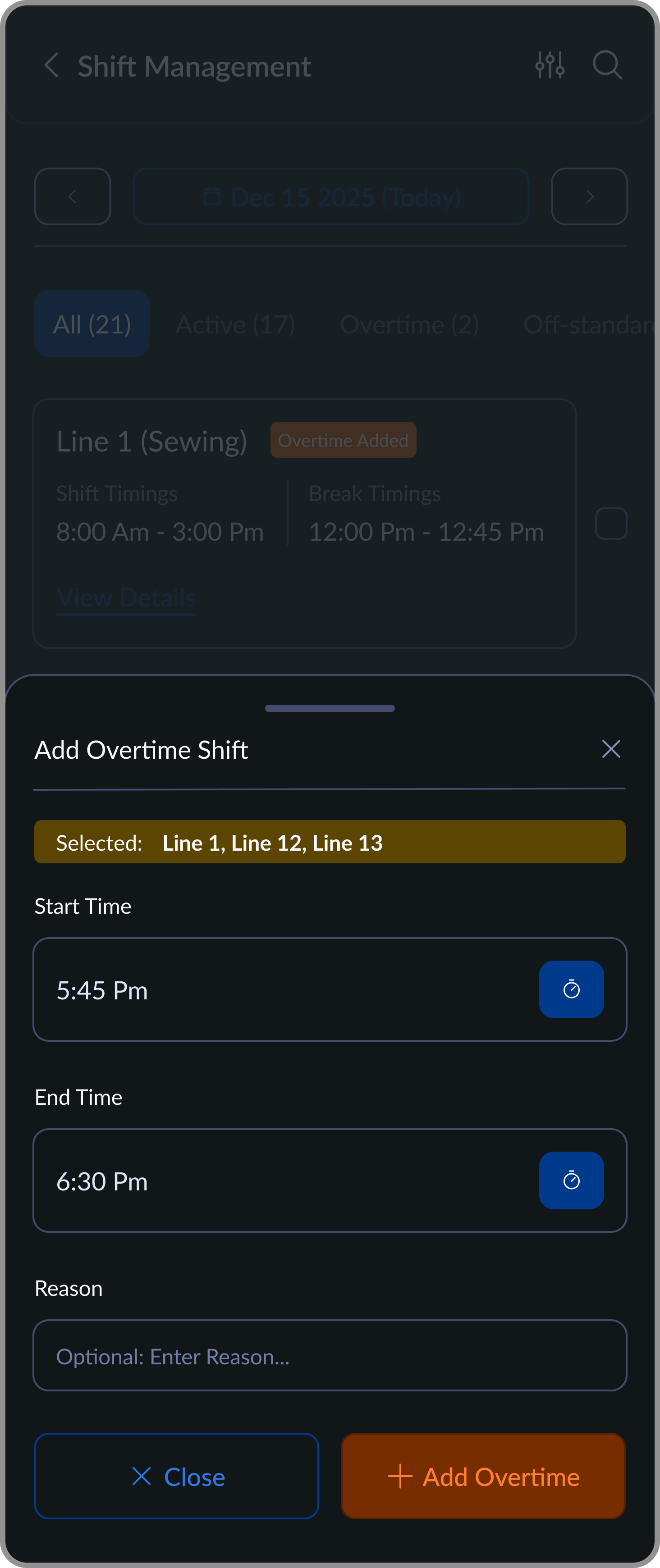
Factories frequently run overtime for rush orders, peak seasons, and audit prep. When machines ran extended hours with no record of it, maintenance schedules drifted and wear became unpredictable. Supervisors can now log standard and non-standard shifts per production line, which feeds directly into maintenance scheduling and load analysis.
Shift Overview by Line
Lists all production lines with shift timings and clear tags for overtime or off-standard additions.
Overtime Details View
Expands a line to show added overtime/Off standard shifts and their exact time ranges.
Add Overtime Flow
Allows supervisors to quickly add overtime by selecting lines and defining start and end times.
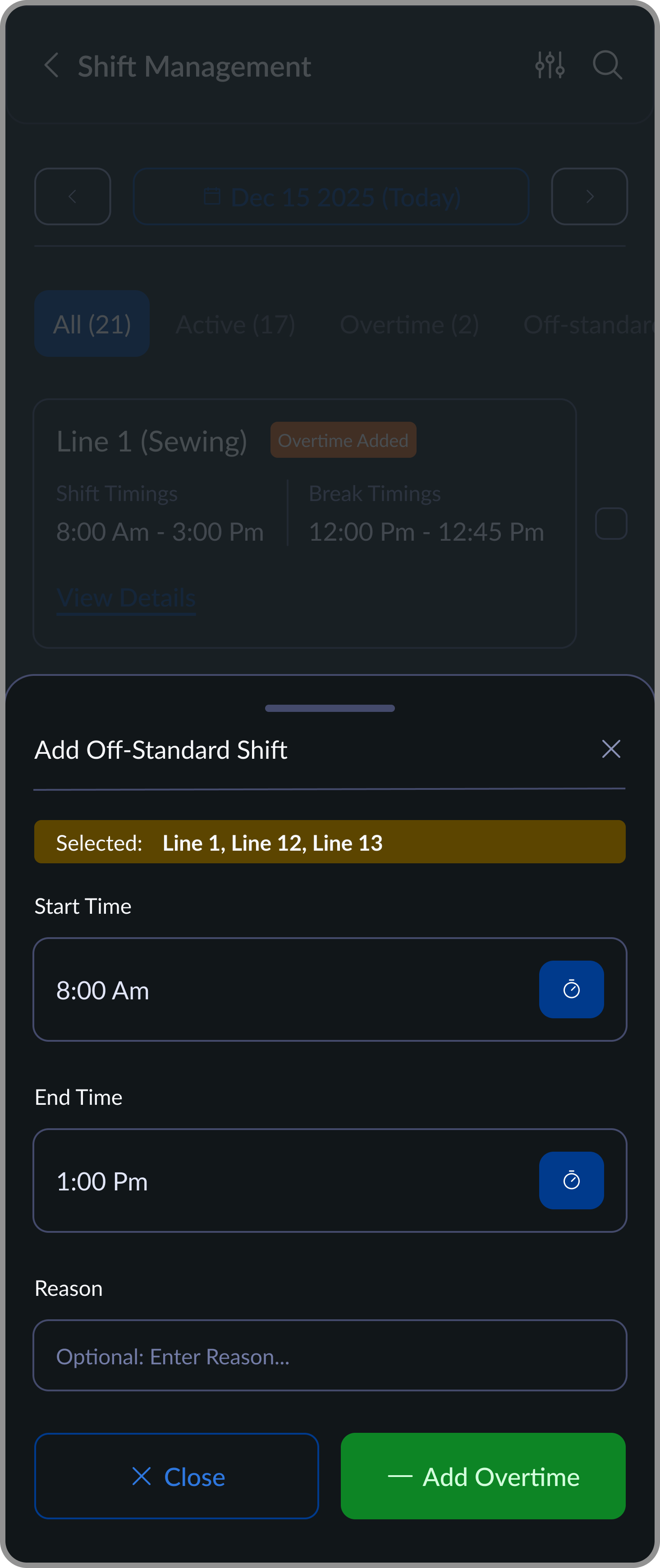
Add Off-Standard Shift
Enables supervisors to log off-standard working hours by selecting lines and defining non-regular shift timings.
Outcome
What we achieved
Factories moved from reactive maintenance to trackable operations with ownership, timestamps, and historical trends across breakdowns and part usage.
60%
Reduction in machine downtime after rollout.
20+
Factories live across Asia.
$12k
MRR from maintenance as a standalone vertical.
0
Paper records remaining in the maintenance workflow.
Unexpected outcome
Once factories had 6-12 months of machine health data, something we didn't design for started happening: procurement decisions changed. Factories could see which machine brands broke down most frequently, which had the highest parts consumption, and which held up across extended shifts. Purchase decisions that had always been made on price started being made on reliability data. A maintenance tool became a procurement intelligence layer.
looking back
What I'd do differently
Get to real users faster
Early research correctly identified the constraint (restricted phone use on the factory floor), so we designed around access. What we underestimated was the cognitive environment: the pace, the reliance on muscle memory, the way colour coding functions as a scanning shortcut rather than a label. Floor users parsed status differently than we expected, not because they misunderstood the interface, but because their mental model was built on speed and pattern recognition. That only became visible once they were actually using it. Post-launch, we went back and reduced the interaction cost (fewer clicks, faster confirmation) now that users had a baseline familiarity with the system.